Lilah / Digital experience
Somewhere softer,
in your pocket.
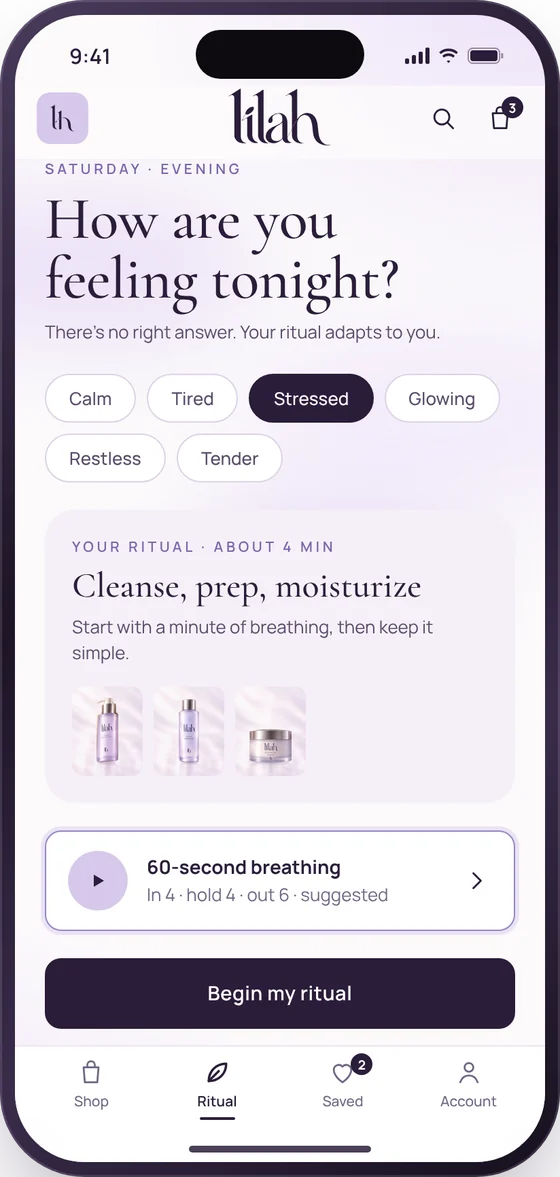
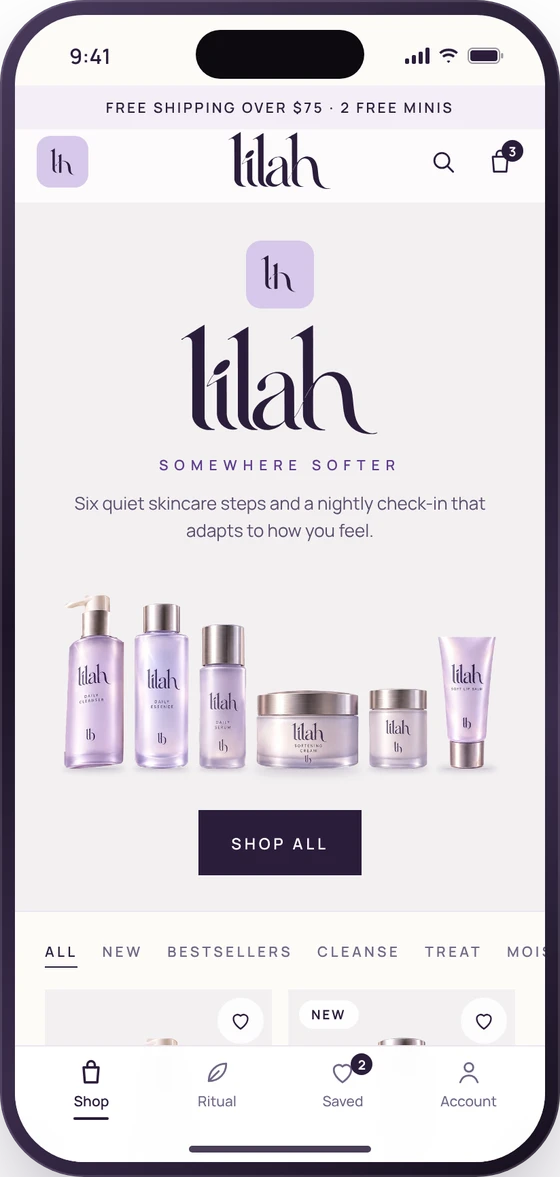
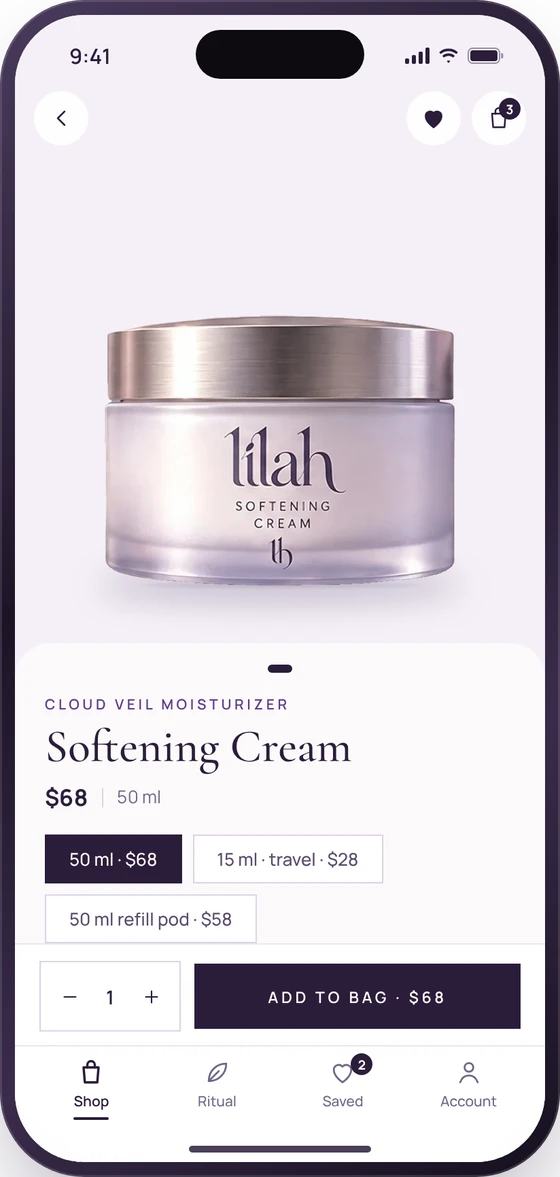
An iPhone app for Lilah, a prestige skincare concept built around emotional wellbeing. It sells a six-step ritual like a beauty flagship, then checks in at night and adapts the routine to how you feel.
Overview
Beauty apps shout. Lilah needed one that breathes.
The brief
Design the Lilah shopping app: the full catalog, bag and checkout, plus a reason to open it on days you don’t buy anything.
The problem
Most beauty apps run on urgency: countdowns, pop-ups and streaks. Lilah’s customer comes to her skincare to slow down. Pressure breaks the brand promise.
The goal
Sell like a premium flagship with editorial photography and a clear path to buy, and care like a wellness app with a nightly check-in that never guilt-trips.
Principles
Four rules that decided every screen
Calm before conversion
No pop-ups, timers or fake scarcity. The shopper moves at her pace.
No streaks, no scores
The ritual never punishes a missed night. Zero guilt mechanics.
Premium is subtraction
One primary action per screen, lots of air, photography does the selling.
Care, not consultation
Lilah supports wellbeing but never diagnoses, and always shows where to get real help.
Process
From concept board to working app
I started from a visual concept, then rebuilt it as a system: components with auto layout in Figma, then a coded prototype you can actually use.
- StrategyAudience, principles, what makes Lilah different
- Architecture4 tabs and the two core flows
- WireframesStructure before style
- Design systemTokens, type and 9 components
- App iconLilah, Midnight and Pearl
- PrototypeEvery flow works end to end
- CommercePricing, checkout, SEO and ASO
- Usability testNext: 5 participants
Information architecture
Two jobs, four tabs
Shopping and the nightly ritual each get a home. Search and the bag live in the header so they are one tap away from everywhere.
Flow 1 · Buy
Flow 2 · Nightly ritual
Design system · Cloud Veil
Lavender light, midnight plum, pearl air
Every color, size and space is a token, so the Figma file and the coded app stay in sync.
Typography
Cormorant for the brand voice, Manrope for everything you read or tap.
Components
Nine components in total: Button, Chip, Product card, Quantity stepper, Accordion, Header, Tab bar, Bag item and Ritual step. Each has variants and properties, built with auto layout.
Lilah / App icon system
A softer space, at your pace.
Construction
One mark, three moods
The icon uses the “lh” monogram taken straight from the Lilah wordmark, so the app and the packaging speak the same language. The mark sits at 56% of the canvas, centered on the keyline circle, with no text and no transparency.
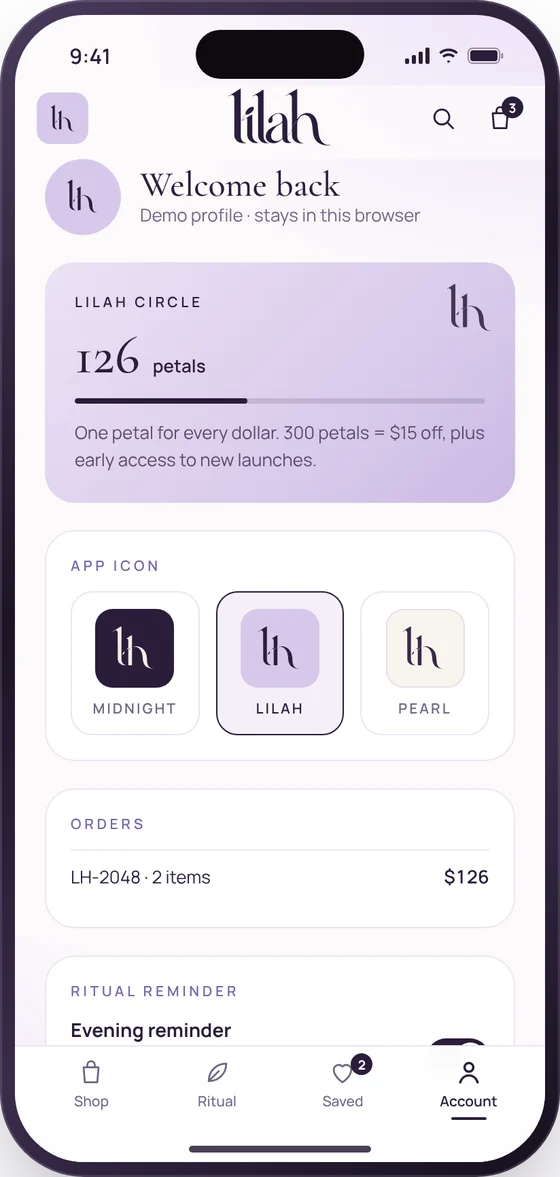
Lilah, on the signature lavender tile, is the default. Midnight and Pearl are alternate icons people can pick in Account, a native iOS feature, so the icon matches their wallpaper. Midnight doubles as the dark-mode icon.
Sizes
Every size the stores ask for
Design one 1024 × 1024 master with square corners. iOS applies the rounded mask itself, and Xcode can generate the smaller sizes from the master. Below are the sizes and what each one is for.
| iOS | Points | Pixels |
|---|---|---|
| App Store | 1024 | 1024 × 1024 |
| iPhone home screen | 60 pt | 180 (@3x) · 120 (@2x) |
| iPad Pro home screen | 83.5 pt | 167 (@2x) |
| iPad home screen | 76 pt | 152 (@2x) |
| Spotlight | 40 pt | 120 (@3x) · 80 (@2x) |
| Settings | 29 pt | 87 (@3x) · 58 (@2x) |
| Notifications | 20 pt | 60 (@3x) · 40 (@2x) |
| Android & web | Size | Notes |
|---|---|---|
| Google Play | 512 × 512 | 32-bit PNG |
| Adaptive icon | 108 × 108 dp | Mark inside the 66 dp safe zone |
| Launcher (xxxhdpi → mdpi) | 192 · 144 · 96 · 72 · 48 | Legacy fallback |
| Themed icon (Android 13+) | Monochrome layer | Monogram only |
| Web app / PWA | 512 · 192 | Plus a maskable version |
| Apple touch icon | 180 × 180 | For “Add to Home Screen” |
| Favicon | 32 · 16 | Monogram, no background tile |
Lilah, the everyday icon
Midnight, for dark home screens
Grayscale mark that iOS colors
- Export the 1024 master as PNG, square corners, no transparency
- No text or wordmark inside the icon
- Check legibility at 40 px before approving any direction
- Provide light, dark and tinted versions for iOS 18
- Android: separate foreground (monogram) and background layers
- Keep the mark inside the safe zone so no mask clips it
E-commerce strategy
Premium pricing that still feels kind
Prices sit where prestige skincare sits, and every lever that lifts the order value is one a shopper would thank you for: more to try, less to pay for a full ritual, nothing hidden.
| Tier | Products | Price | Job |
|---|---|---|---|
| Try | Travel sizes · cleanser, essence, cream | $18 – $28 | Low-risk first purchase |
| Core | Six full-size steps | $24 – $98 | Lip $24 · Cleanser $38 · Essence $48 · Eye $56 · Cream $68 · Serum $72 / $98 |
| Refill | Softening Cream refill pod | $58 | $10 less than the jar, keeps people coming back |
| Sets | Everyday Ritual · Complete Ritual | $118 · $258 | Value shown next to price: $140 and $306 |
Order value
Free shipping at $75
About two full-size products. A meter in the bag shows how close you are.
Bundling
Ritual savings
10% off automatically with three or more steps. Codes never stack: the best saving wins.
Delight
Two free minis
Chosen in the bag with every order. Samples that lead to the next full size.
Retention
Lilah Circle
A petal for every dollar, $15 off at 300, plus refills and one gentle evening reminder.
Checkout
Four short steps, nothing surprising
Express pay sits first. The order summary is one tap away on every step, and the review step lets you edit anything before you pay.
01 · Shipping
Email, address and an optional phone number. Newsletter box is unchecked by default. Errors explain how to fix them.
02 · Delivery
Standard or Express with real arrival dates, gift wrap for $6, a gift message and an option to hide prices on the slip.
03 · Payment
Apple Pay, PayPal or card. In this demo nothing is collected or charged.
04 · Review
Everything on one screen with Edit links, the promo field, and Puerto Rico IVU (11.5%) calculated from the ZIP code.
SEO & App Store optimization
Found on Google and in the App Store
Web store
- Title: Softening Cream · Cloud Veil Moisturizer | Lilah (48 characters)
- Meta description: A cushiony moisturizer for soft, comfortable skin. Step 4 of the Lilah ritual. Free shipping over $75. (102 characters)
- Clean URLs: /skincare/softening-cream, /sets/complete-ritual
- Structured data: Product and Offer markup with price, currency and stock, so search results can show price and availability.
- Speed: WebP images in several sizes, so each phone downloads only what it needs.
- Alt text on every product photo, written for people first.
App Store
- Name (30 max): Lilah: Skincare Ritual (22)
- Subtitle (30 max): Calm self-care, softer skin (27)
- Keywords (100 max): skincare, routine, moisturizer, serum, cleanser, self care, wellness, mood, breathing, gift set, lip balm, calm (100, sent without spaces)
- Promotional text: Build a calm evening ritual. Shop six steps in frosted lavender glass, check in with how you feel, and breathe for 60 seconds. No streaks, no pressure.
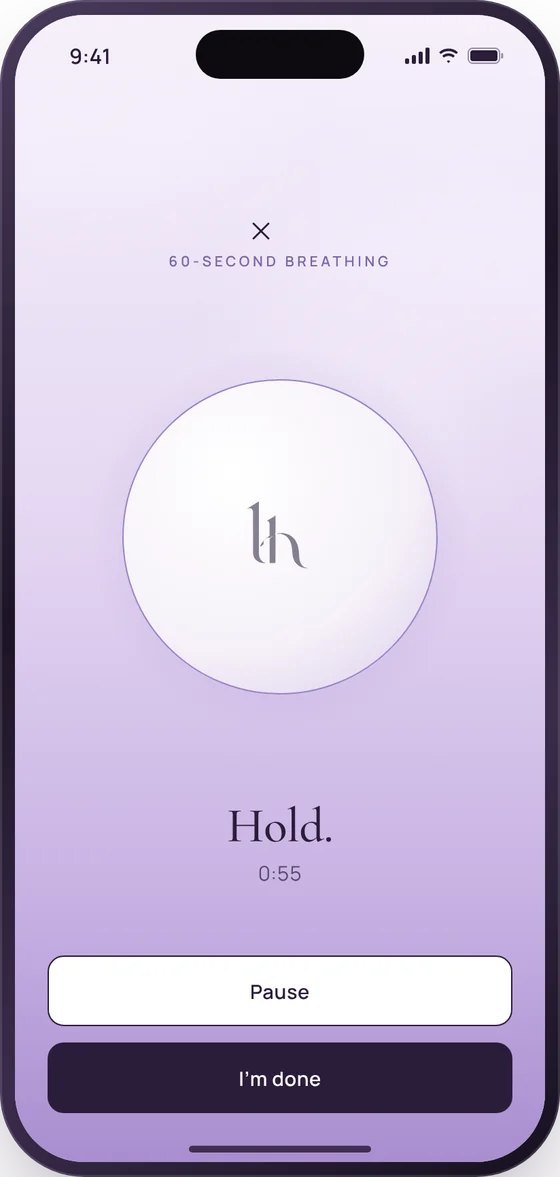
- Screenshots: one idea per screenshot. Shop the ritual → Check in → Breathe → Checkout in seconds.
Key screens
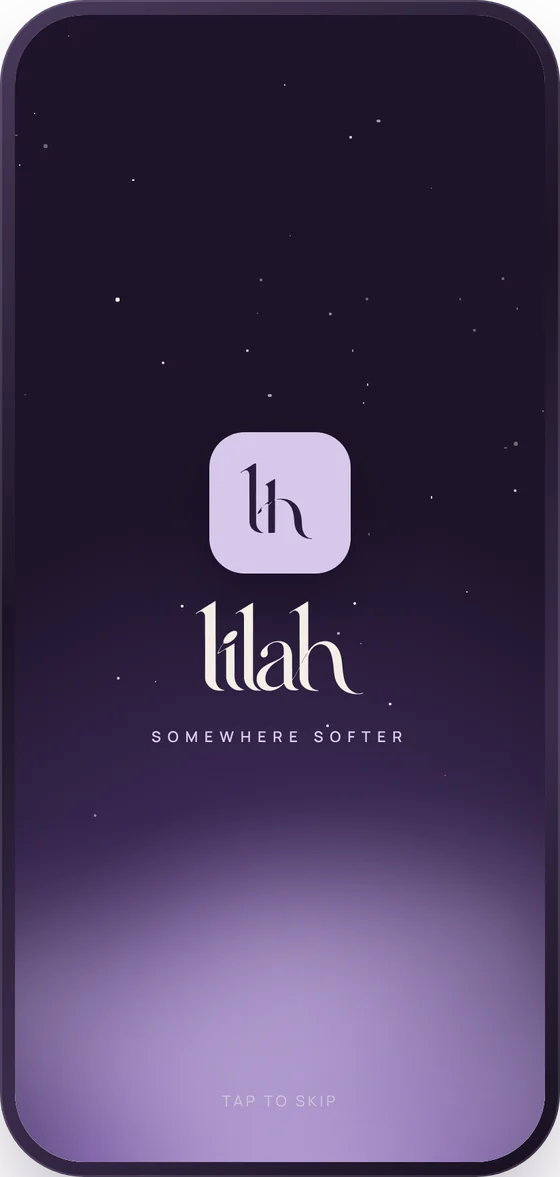
Minimal on top, calm underneath
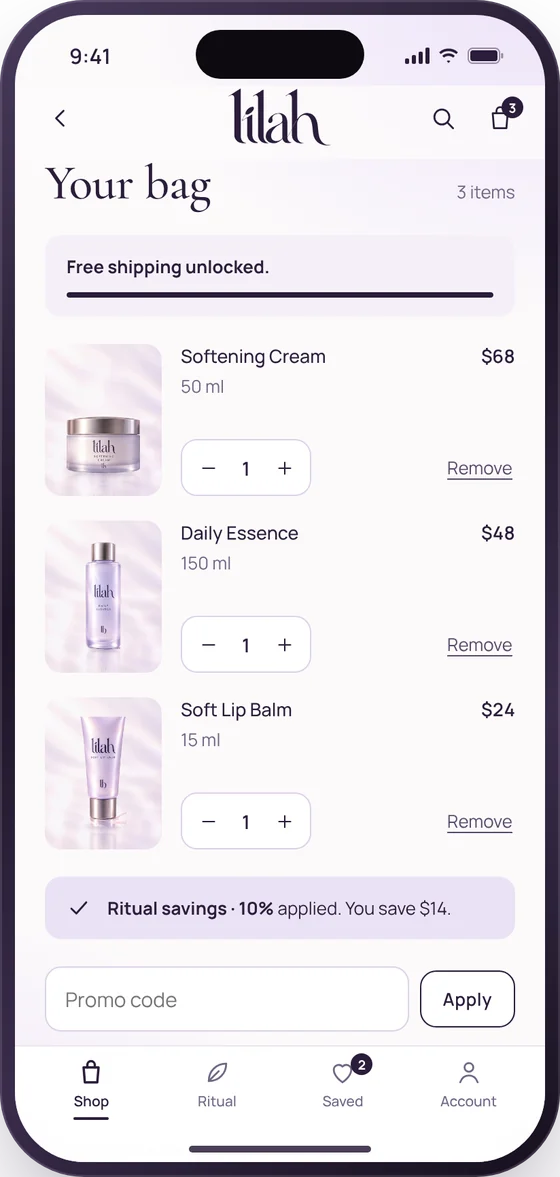
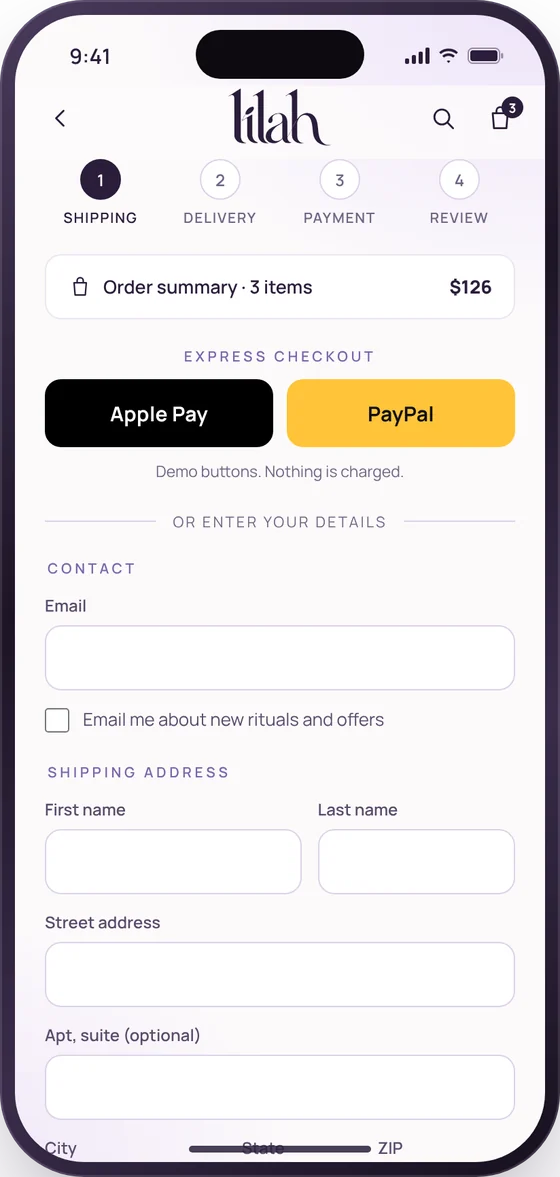
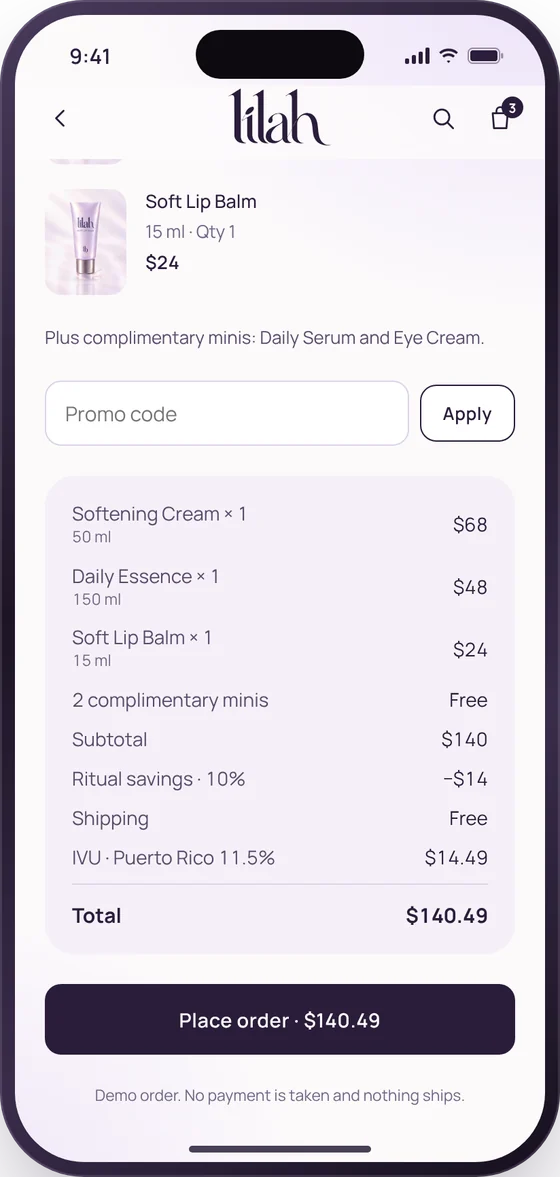
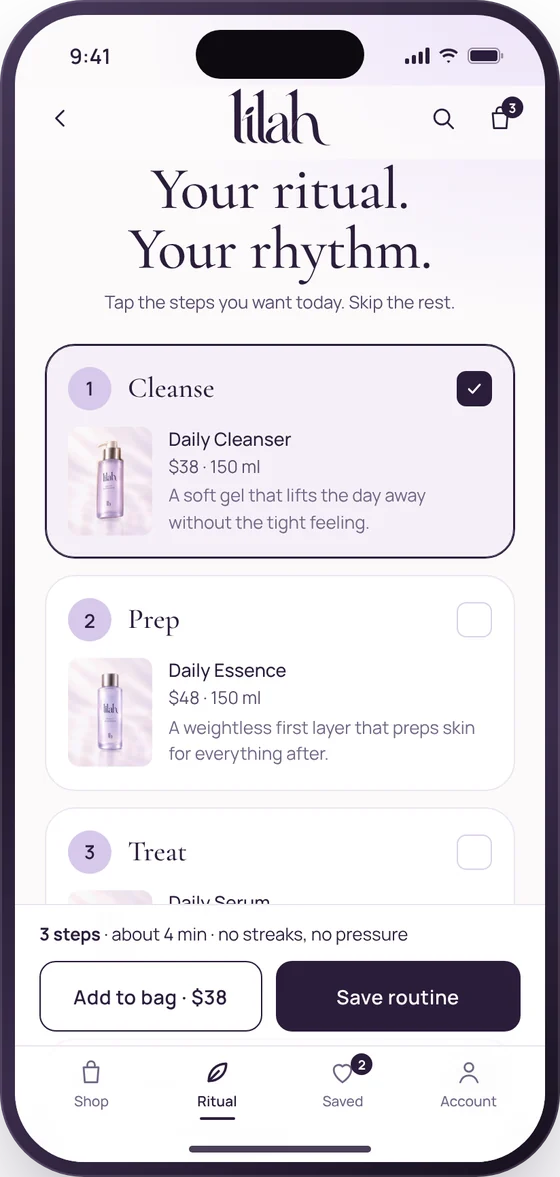
Try it
Every screen works
Filter, pick a size, add to bag, choose minis, check out in four steps, check in and breathe. The prototype remembers your bag between visits.
Open the prototype ↗Iteration
What changed from the first concept
The first version was a single image. Turning it into a real product meant fixing what a picture can hide.
Accessibility & ethics
Soft, but readable and honest
| Color pair | Use | Contrast |
|---|---|---|
| White on Midnight | Buttons | 15.7:1 · AA |
| Midnight on Pearl | Headings, text | 15.1:1 · AA |
| Midnight on Lavender | Icon, chips | 10.0:1 · AA |
| Ink on Pearl | Body copy | 7.6:1 · AA |
| Muted on Pearl | Captions | 5.1:1 · AA |
| Lavender ink on Pearl | Labels | 4.7:1 · AA |
No dark patterns
- No countdowns, fake low stock or pre-checked add-ons.
- No reviews until there are real ones. Nothing is invented to build trust.
- At most one reminder a day, and it is easy to turn off.
- Motion respects the phone’s reduced-motion setting.
- A visible note that Lilah is self-care, not medical care, with the 988 line (US).
Next · usability test
How I will test it
Five participants who buy skincare online, on a phone, in sessions of about 20 minutes.
Task 1
Find a moisturizer under $75 and add it to your bag.
Task 2
You had a stressful day. Use the app to wind down.
Task 3
Build a three-step evening routine and save it.
I will measure task success, time on task and a one-question ease score after each task. The target is at least 4 of 5 participants completing every task without help.